

A practical guide: Because printing shouldn’t be harder than everything else
Let’s be honest for a moment.
Remember when printing was simple? You sat at your desk, you pressed print, and the document came out of the printer next to you. Easy.
Then hybrid working happened.
Now, half your team is at home. A quarter is at client sites. The rest are in the office but spread across three floors. And someone just emailed a 50-page document to the office manager with a desperate message: “Can you print this for me? I’m at home and I can’t print from here.”
Sound familiar?
This is the reality for countless businesses. Your team can access everything from the cloud — emails, documents, spreadsheets, presentations — except printing.
Cloud-based printing fixes that. And it’s simpler, more secure, and more affordable than you might think.
In this article, I’ll walk you through what cloud-based printing actually is, why it matters for hybrid teams, the real benefits for your business, and a simple way to get started.
Let’s dive in.
What Is Cloud-Based Printing? (In Plain English)
Let me explain this without the jargon.
Traditional printing: Your computer talks directly to a printer. If you’re not on the same network as that printer, you can’t print. That’s fine when everyone is in the office. It’s a nightmare when people are working from different locations.
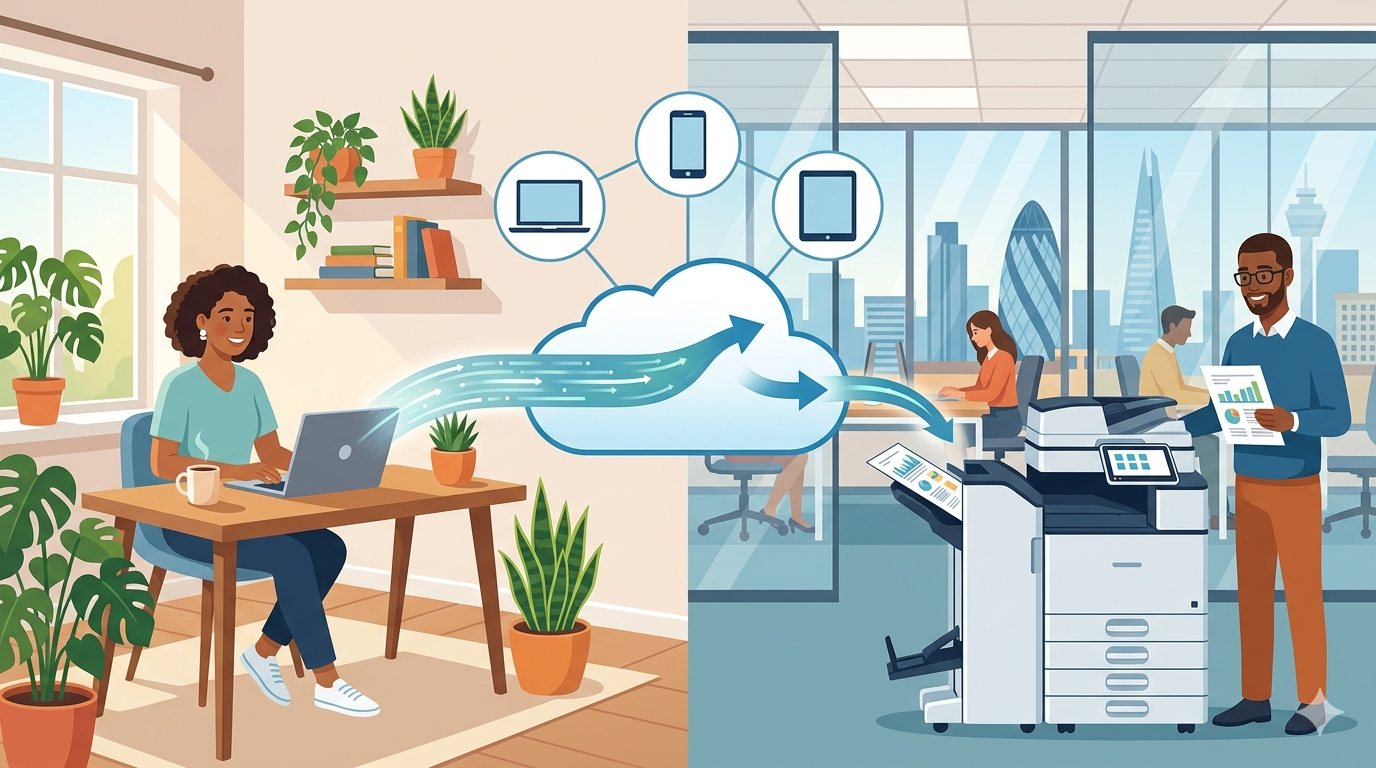
Cloud-based printing: Your computer sends the print job to the cloud (a secure online queue). The printer checks the cloud queue and prints the job. Your computer and the printer don’t need to be on the same network. They don’t even need to be in the same country.
Think of it like email. You don’t need to be in the same building as someone to send them a message. Cloud printing works the same way — but for documents.
In practice, this means:
- Print from your laptop at home to the office printer
- Print from your phone at a client site to your head office
- Send a print job from London to your branch office in Manchester
- Release a print job at any printer in your office (not just the one you sent it to)
And the best part? Your team doesn’t need to be technical to use it. It feels just like normal printing — except it works everywhere.
Part One: Why Cloud Printing Matters Right Now
This isn’t a “nice to have” anymore. For hybrid teams, it’s becoming essential.
The Old Way Isn’t Working
Walk into any hybrid office in London or the home counties, and you’ll see the same workarounds:
- People emailing documents to colleagues and asking them to print
- Staff saving files to USB drives and walking to the printer
- Team members waiting until they’re back in the office to print (and then rushing)
- Frustrated IT people setting up clunky VPNs just so people can print from home
These workarounds waste time, create frustration, and often compromise security.
Your Team Expects Better
Your team can access everything else from anywhere. Emails, documents, calendars, chat, video calls — it all works seamlessly from home, from coffee shops, from client sites.
Printing is the last holdout. And it’s increasingly frustrating.
“I can run my entire business from my phone, but I can’t print a document unless I’m in the office” is not a statement you want your team making.
Security Is a Concern
When people can’t print properly, they find workarounds. And workarounds are rarely secure.
- Emailing documents to personal email addresses
- Saving files to unencrypted USB drives
- Using public printers at libraries or copy shops
- Taking photos of documents with personal phones
Cloud printing gives your team a secure, approved way to print from anywhere — without the workarounds.
Part Two: The Real Benefits of Cloud Printing
Let’s get specific about what cloud printing actually does for your business.
Benefit 1: Print from Anywhere, Any Device
This is the headline benefit. And it’s huge.
What it means:
- Work from home? Print to the office.
- At a client site? Print to the office.
- On the train? Send the print job now, release it when you arrive.
- Using a Mac, PC, phone, or tablet? They all work.
Example: A sales director is at a client meeting in London. The client asks for a physical copy of the proposal. The sales director opens the document on their phone, sends it to the office printer, and calls a colleague: “Could you grab that from the printer and courier it over?” Ten minutes later, the client has the document. No panic. No “I’ll email it to you later.”
Benefit 2: Print to Any Printer (Follow-Me Printing)
This is a game-changer for offices with multiple printers.
How it works: You send a print job to a single queue. You walk up to any printer on your system, authenticate (with a code, card, or phone), and your job prints. No more sending to the wrong printer. No more walking to the other side of the office to collect your document.
Example: A law firm has three printers across two floors. Before cloud printing, staff would send a job, realise they’d sent it to the wrong floor, and have to walk up or down stairs. Now, they send to one queue and release at whichever printer is nearest. One partner told us, “I get back 10 minutes a day just from not walking to the wrong printer.”
Benefit 3: Better Security
This is a bigger benefit than most people realise.
What cloud printing secures:
- Confidential documents don’t sit in output trays waiting for someone to collect them. They only print when you authenticate at the machine.
- Lost print jobs don’t happen. If you send a job and forget to collect it, it stays in the queue until you release it (or it times out).
- Unauthorised access is blocked. You can restrict who can print in colour, who can print large jobs, and who can access certain printers.
Example: An accountancy practice handles sensitive client tax documents. Before cloud printing, someone would send a confidential document and hope they got to the printer before anyone else saw it. Now, documents only print when the authorised person stands at the machine and enters their code.
Benefit 4: Reduced Waste and Lower Costs
When printing is easy and secure, people waste less.
How cloud printing saves money:
- No more uncollected print jobs sitting in trays (often reprinted by mistake)
- No more wrong prints (send to the wrong printer? Just release at a different one)
- Better visibility (see exactly who is printing what, and how much)
- Print rules (force double-sided, restrict colour, limit large jobs)
Example: A marketing agency reduced their paper usage by 35% within three months of switching to cloud printing. The office manager said, “We didn’t change behaviour. The system just stopped the waste we didn’t even know was happening.”
Benefit 5: Less IT Headache
This is the benefit your IT team (or your “person who handles IT”) will love.
What cloud printing simplifies:
- No more printer drivers for every device and operating system
- No more VPNs just for printing
- No more “my computer can’t find the printer” tickets
- No more printer server to maintain
Example: A charity had three different printer brands, each with its own drivers and configuration. Their part-time IT person spent hours every month just keeping printing working. Cloud printing replaced all of that with a single, simple system.
Benefit 6: Easy Guest and Contractor Printing
Need a contractor or visitor to print something? Cloud printing makes it simple and secure.
How it works: Create a temporary guest account. They can print for a day, a week, or a month. Then the account expires. No security risk. No sharing of main network credentials.
Part Three: Common Concerns (Addressed Honestly)
Let me address the worries you might have.
“Is it secure?”
Yes — often more secure than traditional printing.
Cloud printing systems use encryption for documents in transit and at rest. They support user authentication (so only authorised people can release jobs). And they keep logs of who printed what, when.
Pro tip: Look for cloud printing solutions that are GDPR-compliant and offer features like automatic deletion of print jobs after a set time.
“Do we need new printers?”
Probably not. Many modern printers and copiers support cloud printing out of the box. For older machines, you can often add a small device (a print server) that connects them to the cloud.
What to check: Ask your supplier whether your current equipment is cloud-ready. You might be closer than you think.
“Is it expensive?”
Cloud printing typically costs £3–10 per user per month, depending on the solution and features. For a 20-person office, that’s £60–200 per month.
Compare that to the cost of wasted paper, lost productivity, and IT time spent troubleshooting printing. For most businesses, cloud printing pays for itself quickly.
“What about printing huge files? Will it be slow?”
Cloud printing is designed for real-world use. Large files take a few extra seconds to upload, but the actual print speed is the same as traditional printing. For most offices, the difference is barely noticeable.
“What if the internet goes down?”
Good question. Most cloud printing systems have a fallback: you can still print directly to a printer on your local network if the internet is down. It’s not an either/or choice.
Part Four: Cloud Printing vs Traditional Printing
Let me make the comparison crystal clear.
| Feature | Traditional Printing | Cloud Printing |
| Print from home | ❌ Usually requires VPN | ✅ Yes |
| Print from phone | ❌ Difficult or impossible | ✅ Yes |
| Print to any office printer | ❌ No | ✅ Yes (follow-me) |
| Secure release (no sitting in tray) | ✅ Equip Dependant | ✅ Yes |
| Guest/contractor printing | ❌ Complicated | ✅ Simple |
| Printer driver headaches | ✅ Occasional | ✅ Minimal |
| Visibility and reporting | ✅ Limited | ✅ Detailed |
| Works during internet outage | ✅ Yes | ❌No (local fallback) |
| Monthly cost | Low upfront, hidden costs | £3–10 per user |
Part Five: Real Examples from London and the Home Counties
Let me share how local businesses are using cloud printing.
Example 1: The Hybrid Law Firm
The situation: A 30-person law firm has staff split between home, office, and client sites three days a week. Before cloud printing, lawyers would email documents to the office manager and ask her to print and courier them — expensive and slow.
The solution: Cloud printing with follow-me release. Lawyers can now print from anywhere to the office printer. They send the job, then release it when they’re in the office (or ask a colleague to release it for urgent documents).
The result: Courier costs dropped by 80%. Lawyers report being able to respond to clients faster. The office manager has her time back.
Example 2: The Multi-Site Charity
The situation: A charity with three offices. Staff regularly travel between sites. Before cloud printing, someone in Luton couldn’t print to the Enfield office without complex network setups.
The solution: Cloud printing across all three sites. Staff print to a single queue, then release at whichever office they’re standing in.
The result: No more “I’m at the other office and I need that document.” Staff just release the job at the nearest printer.
Example 3: The Marketing Agency
The situation: A 15-person creative agency with a mix of Macs, PCs, and phones. Keeping printer drivers working across all devices was a constant headache for their part-time IT person.
The solution: Cloud printing that works with any device, any operating system. No drivers to install. No configuration.
The result: IT time spent on printing dropped from several hours a month to near zero. “It just works” is now the agency’s motto for printing.
Part Six: How to Get Started
Cloud printing sounds technical, but getting started is simpler than you think.
Step 1: Check What You Already Have
Ask your current supplier (that’s us, or someone like us) whether your existing printers and copiers support cloud printing. Many modern devices do.
If they don’t, you have options:
- Add a small cloud print server (plugs into your printer, £100–300)
- Replace older devices with cloud-ready models (especially if they’re due for replacement anyway)
Step 2: Choose a Solution
There are several cloud printing solutions available. The right one depends on your size, your printers, and your security needs.
Popular options:
- Universal cloud print platforms (e.g., PaperCut, Printix, Uniflow) — work with any printer brand
- Microsoft Universal Print — great if you’re already a Microsoft 365 user.
Our advice: Start with the equipment manufacturer first, some offer cloud print services themselves. Then try a free trial or pilot with a small group of users with one of the other two options above. See how it works in practice before rolling out to everyone.
Step 3: Pilot with Your Hybrid Team
Pick 5–10 people who work from home regularly. Set them up on cloud printing. Ask them to use it for two weeks.
Then ask:
- Did it work reliably?
- Was it easy to use?
- What problems did you encounter?
Step 4: Train Your Team
Cloud printing is intuitive, but a little training goes a long way.
What to cover:
- How to send a print job from home
- How to release a job at any printer (follow-me)
- How to print from a phone
- What to do if something goes wrong
Pro tip: Create a simple one-page guide and stick it near every printer. Include a QR code linking to a short video.
Step 5: Roll Out and Monitor
Once your pilot is successful, roll out to everyone. Monitor usage, waste reduction, and support tickets. You’ll likely see improvements within weeks.
Part Seven: The One-Page Summary
What is cloud printing? Printing from anywhere, to any printer, from any device — via the cloud.
Who needs it? Any business with hybrid working, multiple sites, or security concerns about uncollected print jobs.
Top benefits:
- Print from home, office, client sites, anywhere
- Release jobs at any printer (follow-me printing)
- Confidential documents don’t sit in output trays
- Less waste, lower costs
- Fewer IT headaches
Common concerns addressed:
- Secure? Yes, often more secure than traditional printing
- Need new printers? Probably not
- Expensive? £3–10 per user per month
- Slow? No, designed for real-world use
Getting started:
- Check what you already have
- Choose a solution (pilot first)
- Train your team
- Roll out and monitor
Final Thoughts
Your team can access everything else from anywhere. Emails, documents, calendars, chat, video calls — it all works seamlessly whether you’re in London, at home in Surrey, or visiting a client in Kent.
Printing should be no different.
Cloud-based printing is simpler, more secure, and more affordable than you might think. It eliminates the workarounds, reduces waste, cuts IT headaches, and — most importantly — makes your hybrid team’s life easier.
And in a competitive market for talent across London and the home counties, small conveniences like “printing just works” can make a real difference to employee satisfaction.
If you’re in London, Surrey, Kent, Essex, or Hertfordshire and you’d like a friendly, no-pressure chat about cloud printing — whether your current equipment supports it, what solution might work best, or just honest advice — just reach out.
We’re local. We’re independent. And we’re here to help.