

A practical guide, because what you don’t know can cost you
Let’s be honest for a moment.
Most businesses don’t think about their office equipment until something goes wrong. The printer jams at the worst possible moment. The copier dies in the middle of a big project. The scanner stops working and no one knows why.
And that’s when the mistakes really start.
Because in the panic of a broken machine, with a frustrated team and an impatient client, people make bad decisions. They buy the wrong replacement. They sign a bad contract. They throw good money after bad.
The good news? Most of these mistakes are completely avoidable. You just need to know what they are.
In this article, I’ll walk you through the five worst mistakes businesses make with office equipment, and exactly how to avoid them. No jargon. No hard sell. Just honest, practical advice that will save you time, money, and stress.
Let’s dive in.
Mistake 1: Buying on Price Alone
This is the most common mistake. And it’s the most expensive.
What it looks like:
You need a new printer or copier. You go online (or call a few suppliers) and ask for the cheapest option. You compare prices. You buy the one with the lowest number.
Congratulations. You’ve just made a decision that will cost you more in the long run.
Why it’s a mistake:
The upfront price is only a small part of what you’ll pay over the life of the equipment. Here’s what else you need to consider:
- Toner costs: Some cheap machines use expensive toner. Over three years, you might spend three times the purchase price on consumables.
- Reliability: Cheap machines break more often. Every service call costs time and money.
- Speed: A slow machine wastes your team’s time. Time is money.
- Features: Does it scan to email? Print double-sided? Connect to the network? Cheap machines often skip these basics.
- Lifespan: A quality machine might last 5–7 years. A cheap one might last 2–3.
Real example (location-neutral):
A small business bought the cheapest printer they could find. It cost £150. Within 18 months, they’d spent £400 on toner, had three service calls, and replaced it because it kept jamming.
They then bought a better quality machine for £400. Over the next three years, they spent £300 on toner and had one service call.
The “cheap” printer cost £550 over 18 months. The better printer cost £700 over three years, less per year, and far less frustration.
How to avoid it:
When comparing equipment, ask for the total cost of ownership over 3–5 years. Include:
- Upfront price
- Estimated toner costs
- Estimated service costs
- Energy usage
A slightly more expensive machine with cheaper toner and better reliability is almost always cheaper in the long run.
Mistake 2: Ignoring Your Team’s Input
This mistake happens in offices of all sizes. And it creates resentment that lasts for years.
What it looks like:
The owner or office manager decides which printer or copier to buy. They don’t ask the people who will use it every day. The new machine arrives. And everyone hates it.
- It’s too slow.
- The interface is confusing.
- The scan-to-email doesn’t work with their system.
- It’s too loud for the open-plan office.
- The paper tray is in an awkward position.
Why it’s a mistake:
Your team uses the equipment every day. They know what works and what doesn’t. They know what frustrates them about the current setup. They know what features would actually help.
Ignoring their input leads to:
- Lower productivity: A machine that’s hard to use slows everyone down.
- Resentment: “They didn’t ask us, and now we’re stuck with this.”
- Workarounds: Your team will find ways to avoid the new machine, using old ones or personal devices.
- Higher costs: A machine that no one wants to use is a waste of money.
How to avoid it:
Before buying anything, talk to your team. Ask:
- “What do you hate about our current equipment?”
- “What would make your day easier?”
- “If you could change one thing, what would it be?”
Then involve them in the decision. Take two or three people to the demo. Ask for their opinion before you sign anything.
When people feel heard, they’re more committed to making the new equipment work.
Mistake 3: Signing Long Contracts Without Reading the Fine Print
This mistake is frighteningly common. And it can lock you into a bad situation for years.
What it looks like:
A supplier offers a “great deal” on a new copier. The monthly payment is low. You sign the contract without reading every page. Three years later, you’re stuck with a machine you hate, paying more than you should, and you can’t get out.
What’s hiding in the fine print:
- Automatic renewal: The contract renews automatically unless you cancel in writing 90 days before the end. Miss the window, and you’re locked in for another year (or three).
- Page overages: Your contract includes a certain number of pages per month. Go over, and you pay a fortune per extra page. Go under, and you don’t get a refund.
- Excluded parts: The “full service” contract doesn’t cover certain parts. You pay extra when they fail. If you’re wondering if they’re the most expensive part, you’d be right.
- Return conditions: At the end of the lease, the machine must be in “perfect condition”, and the supplier decides what that means. A scratched panel could cost you hundreds.
- Early termination fees: Want to get out early? It will cost you thousands.
How to avoid it:
Before signing any contract:
- Read every page. Yes, all of them. No excuses. AI can do the work and summarise terms and conditions in seconds.
- Ask about automatic renewal. If it’s there, negotiate it out or put a reminder in your calendar 120 days before the end.
- Understand page costs. What’s included? What’s the overage rate? Can you roll over unused pages?
- Ask what’s NOT covered. Get it in writing.
- Get the return conditions in writing. Take photos of the machine when it’s delivered.
- Negotiate. Everything is negotiable. Termination fees, renewal terms, page costs, ask for better terms.
Pro tip: Have a solicitor who specialises in contract law review any contract longer than a few pages. The cost is modest compared to what it could save you.
Mistake 4: Keeping Equipment Way Past Its Prime
This mistake is driven by good intentions, saving money, that end up costing more.
What it looks like:
Your copier is eight years old. It breaks down every few months. The prints look faded. The scanner is unreliable. But you keep fixing it because “it’s cheaper than buying a new one.”
Except it’s not.
Why it’s a mistake:
Old equipment has hidden costs that add up quickly:
- Repair costs: Each service call costs money. And older machines need more calls.
- Lost productivity: Slow, unreliable equipment wastes your team’s time. Time is money.
- Poor quality: Faded prints and bad scans make your business look unprofessional.
- High energy use: Old equipment is far less energy-efficient than modern machines.
- Security risks: Old machines don’t get security updates. They’re a vulnerability.
- Parts availability: Eventually, parts become unavailable. Then you have no choice.
The maths:
A new copier might cost £2,000 over three years (lease, service, toner included). Your old copier might cost £800 per year in repairs, plus £500 in extra toner, plus £300 in extra energy, plus countless hours of team frustration.
The old machine isn’t cheaper. It’s just slower to show its true cost.
How to avoid it:
Calculate the true annual cost of your old equipment:
- Repair costs (last 12 months)
- Toner costs (higher than a modern machine?)
- Estimated productivity loss (even 2 hours per week × 50 weeks × your hourly rate)
- Energy costs (old machines use more power)
Then compare that to the annual cost of a modern machine on a managed contract. You might be surprised.
A simple rule: If your equipment is more than five years old and has needed two or more repairs in the last year, it’s time to look at replacing it.
Mistake 5: Not Having a Backup Plan
This mistake doesn’t hurt you every day. But when it hurts, it hurts badly.
What it looks like:
Your main copier breaks down completely. The repair will take a week because parts need to be ordered. Your team can’t print, can’t copy, can’t scan. Client documents are delayed. Staff are frustrated. You’re losing money.
And you have no backup.
Why it’s a mistake:
Equipment fails. It’s not a matter of if, but when. A power surge, a worn-out part, a spilled coffee, any of these can take your main machine offline for days.
Without a backup plan, you’re completely vulnerable.
How to avoid it:
Build a simple backup plan:
Option 1: A small backup printer
Keep a basic, inexpensive printer (even an old one) that can handle essential printing. It doesn’t need to do everything. It just needs to keep you going.
Option 2: A service agreement with rapid response
Some suppliers offer same-day or next-business-day service guarantees. Yes, it costs a bit more. But compare that cost to one day of lost productivity.
Option 3: A reciprocal arrangement
Know another local business with similar equipment? Agree to help each other in an emergency. “If our copier dies, can we use yours for urgent jobs?” It costs nothing and provides peace of mind. Modern copiers can print from and scan to USB drives
Option 4: Cloud printing as a backup
If your main printer dies, can your team print to a different device? Cloud printing (covered in a previous article) lets you send jobs to any printer on your system.
The key: Have a plan before you need it. Don’t wait until the machine is dead to figure out what to do.
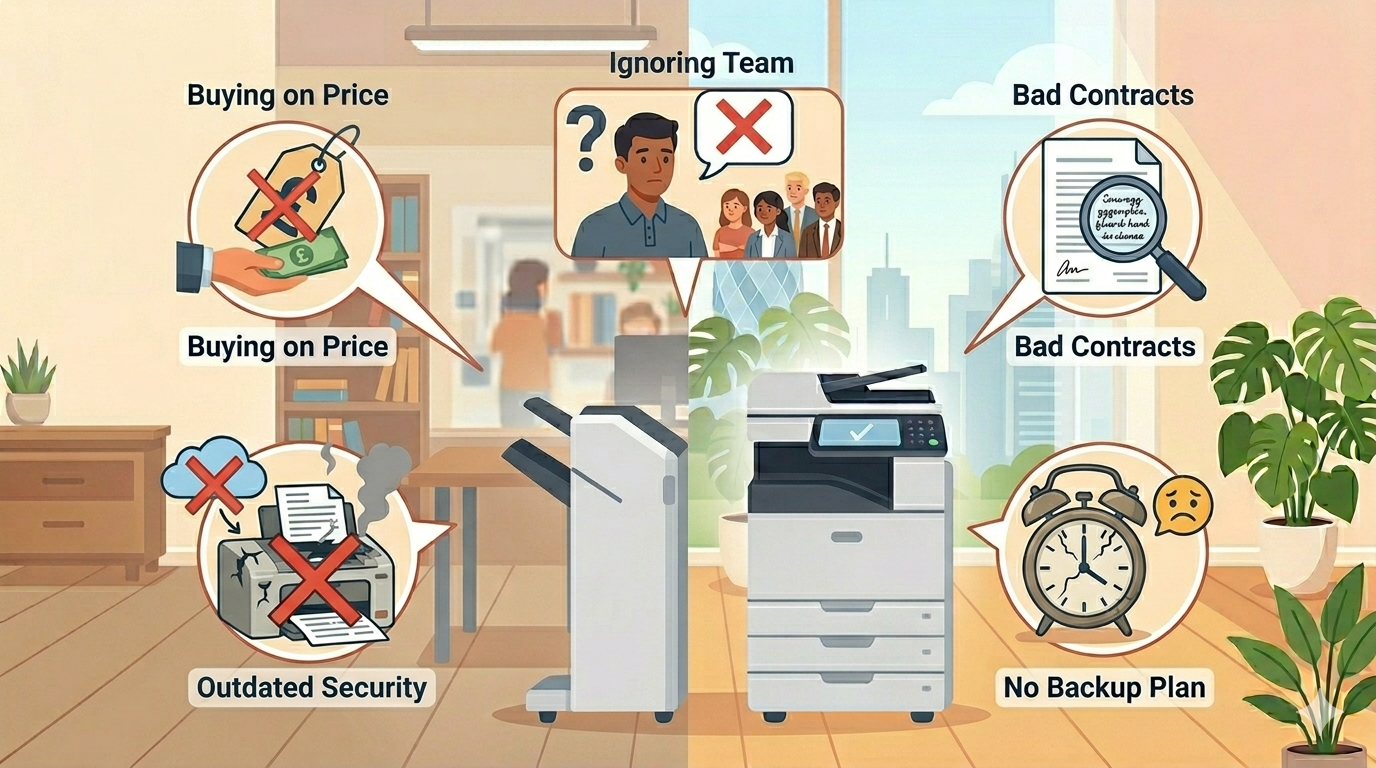
The 5 Mistakes at a Glance
Here’s your quick-reference summary:
| Mistake | What it looks like | How to avoid it |
| 1. Buying on price alone | Cheapest machine, ignoring long-term costs | Compare total cost of ownership over 3–5 years |
| 2. Ignoring your team | Buying without asking users | Involve your team in demos and decisions |
| 3. Bad contracts | Signing without reading fine print | Read everything. Negotiate. Get legal advice |
| 4. Keeping old equipment | Fixing the same machine over and over | Calculate true annual cost. Replace after 5+ years |
| 5. No backup plan | Main machine dies, no alternative | Keep a backup printer or rapid service agreement |
What to Do If You’ve Made These Mistakes
Don’t worry. Most businesses have made at least two or three of these. Here’s how to recover.
If you bought on price alone:
You might be stuck with the machine, but you can change how you use it. Use draft mode for internal documents to save toner. Keep it clean to reduce jams. And when it’s time to replace, use the total cost of ownership approach.
If you ignored your team:
Ask them now. “We’re planning for the future. What would you change about our equipment?” Then act on what you hear. Even small improvements show you’re listening.
If you’re in a bad contract:
Read your contract. Find the termination terms. If you’re in an automatic renewal window, act immediately. If you’re locked in for years, negotiate an early exit, sometimes suppliers will agree if you’re upgrading to a new machine.
If you’re keeping old equipment:
Do the maths. Calculate the true annual cost of your old machine. Compare it to a new one. You might find that replacing it saves money immediately.
If you have no backup plan:
Fix this today. Order a basic backup printer. Or call your supplier and ask about rapid response guarantees. It’s a small investment for huge peace of mind.
Real Examples (Location-Neutral)
Here are a few examples of businesses that made these mistakes, and how they fixed them.
Example 1: The Price-Only Buyer
A small retail business bought the cheapest receipt printer they could find. It broke every few months. Each replacement cost time and shipping. After a year, they’d spent more on replacements and shipping than a quality printer would have cost.
The fix: They bought a commercial-grade printer. It lasted five years. Total cost was lower, and they stopped losing sales to broken printers.
Example 2: The Contract Victim
A professional services firm signed a five-year copier lease without reading the fine print. The automatic renewal clause locked them in for another year when they tried to leave. They paid thousands for a machine they no longer needed.
The fix: They now have a solicitor review every contract over a certain value. They also put lease end dates in their calendar with 120-day reminders.
Example 3: The Old Machine Keeper
A manufacturing company kept their office copier for ten years. It broke down constantly. Staff wasted hours waiting for prints and scans. The office manager estimated they lost 10 hours a week to equipment frustrations.
The fix: They replaced it with a modern machine on a managed contract. Productivity improved immediately. The office manager said, “I didn’t realise how much time we were losing until we stopped losing it.”
Example 4: The No-Backup Business
A healthcare practice had no backup printer. Their main copier died on a Friday afternoon. They couldn’t print patient forms, appointment letters, or referral documents for an entire weekend.
The fix: They now keep a small, inexpensive backup printer. It sits in a cupboard, tested once a month. They’ve never needed it, but they sleep better knowing it’s there.
Final Thoughts
Office equipment mistakes are incredibly common. But they’re also incredibly avoidable.
Don’t buy on price alone. Involve your team. Read your contracts. Replace old equipment when it’s costing you more than it saves. And always have a backup plan.
None of this is complicated. It’s just paying attention to the things that most businesses ignore.
And if you’d like a no-pressure chat about your office equipment, whether that’s help choosing a new machine, reviewing an existing contract, or just honest advice, just reach out.
We’re independent. We’re here to help. And we won’t sell you things you don’t need