

Before we get into the how, let’s talk about the why.
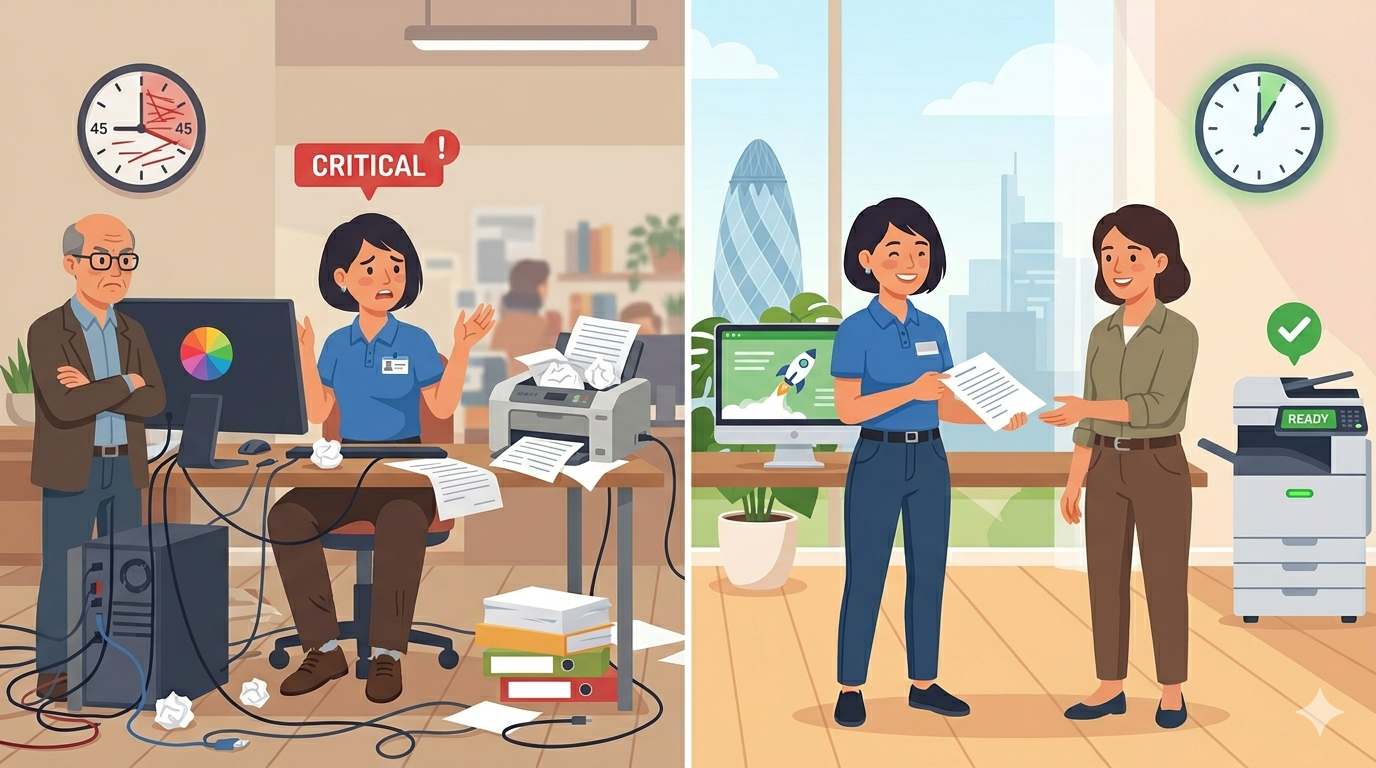
Every customer interaction has two parts: what your team does, and what your technology enables.
Your team can be friendly, knowledgeable, and helpful. But if the technology lets them down, slow computers, broken printers, unreliable scanners, the customer still has a bad experience.
Conversely, good technology makes good service possible. It removes friction. It speeds up responses. It makes your team look competent and professional.
Think about it from the customer’s perspective:
| Customer need | Tech failure | Tech success |
| “Can you email me that document?” | Scanner fails. “I’ll send it later.” Customer waits. | Scan to email works instantly. Document arrives before the call ends. |
| “I need a physical copy of my contract.” | Printer jams. Customer waits awkwardly. | Prints first time. Handed to customer immediately. |
| “Can you check something in my file?” | Slow computer. “Just loading…” Customer waits. | Instant access. Answer given within seconds. |
| “I’ll call you back with that information.” | Can’t find the file. Customer called back late or not at all. | File found instantly. Call returned promptly. |
The pattern is clear: technology failures create delays, frustration, and a sense of incompetence. Technology successes create speed, reliability, and professionalism.
Part One: How Your Copier and Printer Affect Customer Service
Let’s start with the equipment closest to what we do.
The Problem: Slow or Unreliable Printing
You’re on the phone with a customer. They need a document posted to them urgently. You print it. The printer takes 90 seconds to wake up. The customer waits on hold. By the time you have the document, they’re frustrated.
The fix: Modern printers and copiers wake from sleep in under 20 seconds. Some in under 10. That might not sound like much, but to a customer waiting on hold, every second feels like a minute.
The Problem: Poor Print Quality
You print a proposal for a prospective client. It looks faded and streaky. You hand it over apologetically. “Sorry, our printer is playing up today.”
The client doesn’t care about your printer. They’re thinking: “If they can’t keep their printer working, can I trust them with my business?”
The fix: Regular maintenance, quality toner, and knowing when to replace ageing equipment. Print quality is a direct reflection of your professionalism.
The Problem: Scanning That Doesn’t Work
A customer emails: “I’ve attached a signed copy of the contract.” But you need a physical signature on file. You ask them to post it. They’re annoyed. Days are lost.
Or worse: a customer is standing at your desk. “Can you scan this and email it to me?” You try. It fails. You try again. It fails. The customer leaves with a vague “I’ll send it later” and a poor impression.
The fix: Scan-to-email that works reliably, every time. Test it regularly. Make sure it works with your email system. Train your team on troubleshooting basic issues.
The Problem: Long Queues at the Copier
A customer is waiting while three staff members queue for the copier. Each person is printing something unrelated to the customer. The customer stands there awkwardly, watching your team wait.
The fix: Enough devices for your volume. Proper placement (not hidden in a corner where queues form). Fast devices that don’t make people wait.
Part Two: How Your Computers and Network Affect Customer Service
Your printer matters. But your computers and network matter even more.
The Problem: Slow Systems
You’re on the phone with a customer. They ask a simple question about their account. You need to look it up. Your computer takes 30 seconds to open the customer database. You apologise. “Sorry, our system is running a bit slow today.”
The customer hears: “We haven’t invested in our technology. We might not have invested in other things either.”
The fix: Modern computers with solid-state drives (SSDs), enough memory (at least 8GB, preferably 16GB), and a fast processor. The cost is modest. The improvement in customer-facing speed is dramatic.
The Problem: Unreliable Internet
You’re trying to email a customer a document. The email won’t send. The internet is down. Again. You promise to send it “as soon as the connection is back.”
The customer thinks: “This happens to them regularly. That’s not professional.”
The fix: Business-grade internet (not consumer broadband). A backup connection (even a basic 4G/5G router) for critical times. A network that doesn’t let your customers down.
The Problem: Can’t Find Customer Information
A customer calls with a query. You put them on hold while you search for their file. Five minutes later, you still haven’t found it. You take a message and promise to call back.
The fix: A proper document management system. Not just folders on a shared drive. A system where you can find any customer document by name, date, or reference number in seconds. Your customers shouldn’t wait while you hunt.
Part Three: How Your Communication Systems Affect Customer Service
This one often gets overlooked.
The Problem: Phone System That Fails
A customer calls. The phone rings. And rings. No one answers because the system didn’t route the call properly. The customer hangs up and calls a competitor.
The fix: A modern phone system (VoIP) with proper call routing, voicemail to email, and the ability to take calls from anywhere. Your customers should never feel ignored.
The Problem: No Way to Share Documents Securely
A customer needs to send you a document with sensitive information. Their only options are email (not secure) or post (slow). Neither is good.
The fix: A secure customer portal or encrypted document sharing system. Your customers will appreciate that you take their data security seriously.
The Problem: Slow Response Times
A customer emails a question. It sits in an inbox for two days before someone sees it. By the time you reply, they’ve already found another supplier.
The fix: A shared inbox or customer service platform that ensures no email goes unanswered. Automated acknowledgements (“Thanks for your email, we’ll respond within 4 hours”) set expectations and reduce anxiety.
Part Four: Practical Upgrades That Improve Customer Service
Let’s get specific. Here are practical technology upgrades that directly improve how customers experience your business.
Upgrade 1: Fast, Reliable Printing and Copying
What to look for:
- Wake from sleep in under 20 seconds
- First print in under 15 seconds
- Reliable paper feeding (rare jams)
- Professional print quality
The customer service impact: Customers don’t wait. Documents look professional. Your team looks competent.
Upgrade 2: Scan-to-Email That Actually Works
What to look for:
- One-touch scan to email
- Works with your email system (no constant failures)
- Fast scanning (30+ pages per minute)
- Clear error messages when something goes wrong
The customer service impact: Documents reach customers instantly. No “I’ll send it later.” No lost paperwork.
Upgrade 3: Modern Computers
What to look for:
- Solid-state drive (SSD), no more waiting for boot
- At least 8GB RAM (16GB is better)
- Processor from the last 3 years
- Modern operating system (still receiving security updates)
The customer service impact: Your team can access customer information instantly. No awkward “just loading” pauses.
Upgrade 4: Business-Grade Internet
What to look for:
- Symmetric speeds (upload as fast as download)
- Service level agreement with guaranteed uptime
- Backup connection (4G/5G failover)
- Proper firewall and security
The customer service impact: Your systems are always available. No “our internet is down” apologies.
Upgrade 5: Document Management System
What to look for:
- Fast search (find any document in seconds)
- Access from anywhere (cloud-based)
- Version control (no confusion about which file is current)
- Access permissions (customers see only their own data)
The customer service impact: When a customer calls, you have their complete history at your fingertips. No holds. No callbacks.
Upgrade 6: Customer Portal
What to look for:
- Secure login for each customer
- Document upload and download
- Message history
- Request tracking
The customer service impact: Customers can help themselves 24/7. They don’t need to call for basic information.
Part Five: Quick Wins (Free or Low Cost)
Not every improvement requires a big investment. Here are quick wins you can implement today or this week.
Quick Win 1: Clean Your Scanner Glass
Dirty scanner glass causes streaks on scanned documents. Those streaks go to customers. Clean the glass weekly with a soft, dry cloth.
Cost: Free. Impact: Professional-looking scans.
Quick Win 2: Set Double-Sided as Default
Printing double-sided saves paper and looks more professional. Set it as your default setting.
Cost: Free. Impact: Professional-looking documents, lower costs.
Quick Win 3: Create a “Customer Print” Tray
Dedicate one paper tray to high-quality paper (90–100gsm). Use it only for customer-facing documents.
Cost: A few pounds per ream. Impact: Customer documents feel premium.
Quick Win 4: Test Scan-to-Email Weekly
Once a week, send a test scan to yourself. If it fails, fix it before a customer is waiting.
Cost: 2 minutes per week. Impact: No surprises when a customer is standing there.
Quick Win 5: Create Document Templates
Templates for proposals, contracts, and letters ensure consistency. No more “where did we save that file?”
Cost: An afternoon of work. Impact: Faster responses, consistent branding.
Quick Win 6: Set Up Email Auto-Replies
Out of office? Set an auto-reply with your expected return time and an alternative contact. No customer should feel ignored.
Cost: Free. Impact: Customers know what to expect.
Part Six: Real Examples
Here are a few examples of businesses that used office tech to improve customer service.
Example 1: The Accountancy Firm
A small accountancy firm had a reliable but slow copier. It took 60 seconds to wake from sleep. Staff learned to send print jobs, then make tea while waiting. Customers on the phone waited too.
They replaced it with a modern copier that wakes in under 10 seconds. Customer phone hold times dropped. Staff stopped apologising for “the slow printer.”
Example 2: The Insurance Broker
An insurance broker handled sensitive customer documents. Their scan-to-email failed regularly, so staff had to scan to USB, then email from their computer. It was slow and frustrating.
They upgraded to a reliable scan-to-email system that works every time. Now, when a customer sends a document, it’s scanned and emailed back within seconds. Customers comment on how fast and efficient they are.
Example 3: The Legal Practice
A legal practice had an old document storage system, folders on a shared drive. Finding a client file took minutes. Customers on hold heard “just looking that up for you” repeatedly.
They moved to a proper document management system. Now, any file can be found in seconds. Customer hold times dropped by 80%. One partner said, “We sound competent now, not apologetic.”
Example 4: The Property Management Company
A property management company handled maintenance requests by email. Requests got lost in inboxes. Tenants chased for updates. Everyone was frustrated.
They implemented a simple customer portal where tenants can log requests and track progress. Response times dropped from days to hours. Tenant satisfaction scores improved dramatically.
Part Seven: A Simple Self-Assessment
Use this checklist to assess how your office technology is serving your customers.
Speed and Responsiveness
- Can your team access customer information in under 10 seconds?
- Does your copier wake from sleep in under 20 seconds?
- Do customers ever wait while your technology catches up?
Reliability
- Does scan-to-email work every time? (Test it weekly)
- Is your internet connection reliable (less than one outage per month)?
- Do you have a backup for critical systems?
Professionalism
- Do customer documents print clearly, without streaks or fading?
- Do you have a way for customers to send documents securely?
- Are your email responses timely (within agreed timeframes)?
Customer Experience
- Can customers reach you easily (phone, email, portal)?
- Do you acknowledge customer enquiries promptly?
- Do customers ever have to repeat information because you can’t find it?
Team Enablement
- Does your team have the tools they need to serve customers well?
- Do they spend more time fighting technology than helping customers?
- Have they stopped reporting problems because nothing changes?
Final Thoughts
Your customers don’t care about your technology. They care about their experience.
But their experience is shaped by your technology. Every delay. Every apology. Every “our system is slow today.” Every document that looks unprofessional. Every time they have to chase you for information.
All of these small failures add up. They chip away at trust. They make your team look less competent than they are. They cost you customers, slowly and quietly.
The good news is that the opposite is also true. Fast, reliable technology makes your team look professional. It removes friction. It lets your people focus on serving customers, not fighting machines.
You don’t need the most expensive equipment. You need equipment that works, reliably, every time. You need systems that let your team find information instantly. You need processes that don’t let customers fall through the cracks.
Start with one thing. The biggest frustration. The most common apology. Fix that. Then move to the next.
Your customers will notice. Your team will thank you. And you’ll wonder why you waited so long.
If you’d like a friendly, no-pressure chat about using office technology to improve customer service, whether that’s a faster copier, reliable scanning, or honest advice, just reach out.
We’re independent. We’re here to help. And we won’t sell you things you don’t need.