

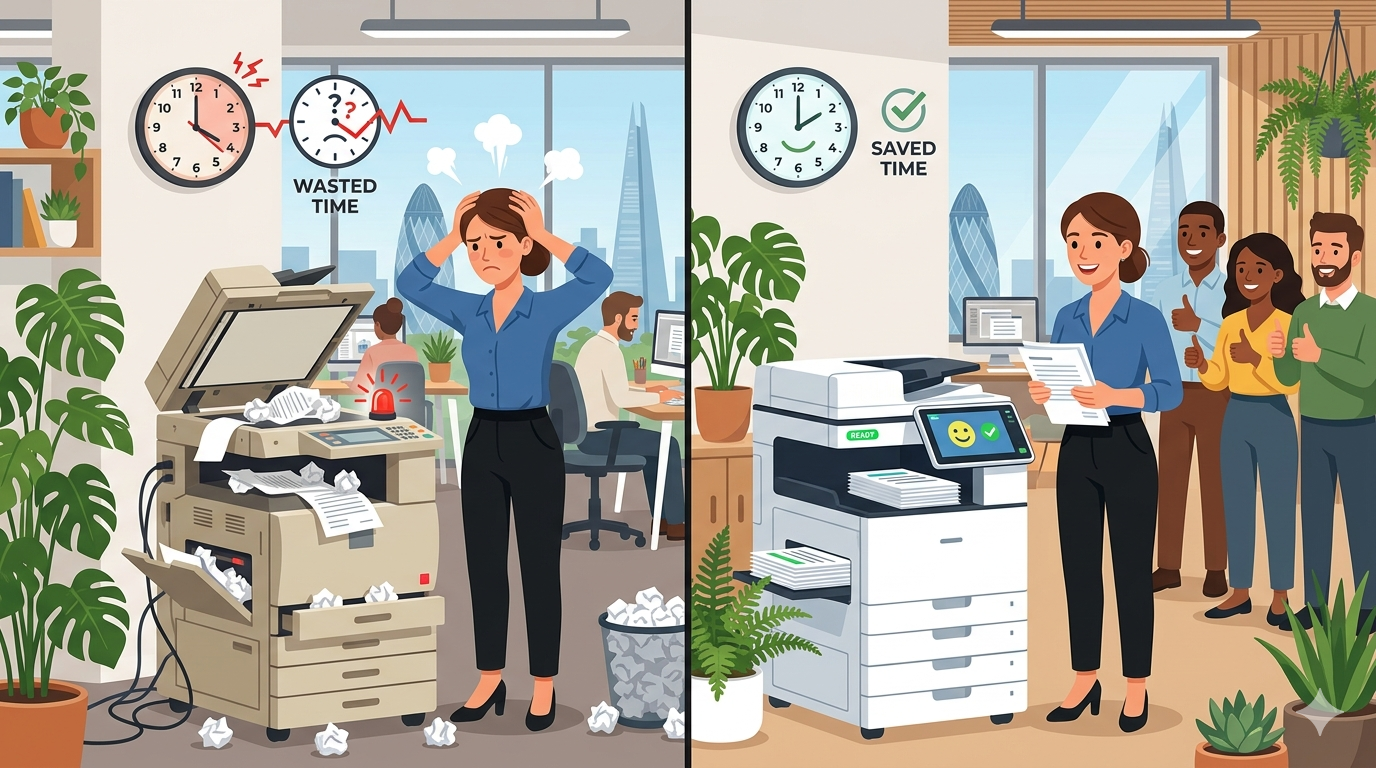
Before we get into the equipment, let’s talk about why you should care about employee satisfaction at all.
The last few years have changed the workplace dramatically. Hybrid working is here to stay. The “great resignation” showed us that people will leave jobs for reasons that have nothing to do with salary. And across London and the home counties, competition for good staff is fierce.
Here’s what we know:
- Happy employees are productive employees. Someone who isn’t constantly fighting with a jammed printer has more mental energy for actual work.
- Happy employees stay longer. Replacing a single staff member costs thousands in recruitment, training, and lost productivity.
- Happy employees recommend your business. Both as a place to work and as a company to buy from.
And here’s the thing that many business owners miss: small daily frustrations add up.
A printer that jams once a week doesn’t feel like a big deal. But when that jam happens at the worst possible moment, every single week, for years, that’s hundreds of small frustrations. And those small frustrations chip away at your team’s goodwill.
Part One: What Your Team Wishes You Knew
Let me translate what your team is probably thinking but not saying.
“I waste so much time waiting for equipment”
Every time someone stands by the printer waiting for a job to finish, or reboots a frozen scanner, or walks to a different floor because “the main copier is broken again”, that’s time they’re not doing their actual job.
Multiply that across your whole team, across a full year. It adds up to days or even weeks of lost productivity.
What they wish you knew: “I could be doing something valuable with that time. Instead, I’m babysitting a machine.”
“It makes me look unprofessional”
When a client is waiting for a document and the printer is taking forever, or a scan comes out crooked and illegible, your team feels embarrassed. They’re the face of your business. And unreliable equipment makes them look bad.
What they wish you knew: “When the equipment fails, clients don’t blame the machine. They blame me, and by extension, the company.”
“I dread using certain machines”
Walk around your office. Watch where people queue. You’ll quickly spot which printer or copier everyone avoids. There’s always one.
What they wish you knew: “I will walk past three perfectly good machines to use the one that actually works. That’s not efficiency. That’s survival.”
“I’ve stopped reporting problems”
This is the most dangerous one. When your team stops telling you about equipment problems, it’s not because the problems have stopped. It’s because they’ve given up.
What they wish you knew: “I mentioned the scanner issue three times. Nothing changed. So now I just work around it. But I’m also updating my CV.”
Part Two: The Hidden Costs of Bad Equipment
Bad equipment doesn’t just annoy your team. It costs you real money.
Cost 1: Lost Productivity
Let’s do some simple maths.
Imagine a 20-person office. Each person loses just 10 minutes per day to equipment frustrations, waiting for prints, clearing jams, rebooting machines, walking to working devices.
10 minutes × 20 people = 200 minutes per day
200 minutes × 5 days = 1,000 minutes per week
1,000 minutes ÷ 60 = 16.7 hours per week
That’s the equivalent of losing two full working days every single week to equipment frustrations.
Over a year, that’s more than 100 lost days. At an average salary of £30,000, that’s roughly £12,000–15,000 in lost productivity.
And that’s a conservative estimate.
Cost 2: Staff Turnover
Bad equipment won’t be the only reason someone leaves. But it’s often the straw that breaks the camel’s back.
“I was already frustrated with the commute, the lack of flexibility, the slow promotion path. And then I had to spend 20 minutes fighting with the scanner on a Friday afternoon. That was the moment I decided to update my CV.”
We’ve heard variations of this story dozens of times.
Replacing a single staff member costs:
- Recruitment fees: £2,000–5,000
- Management time interviewing: £500–1,500
- Training and reduced productivity: £3,000–10,000
- Total: £5,500–16,500 per person
If bad equipment contributes to even one extra person leaving per year, that’s a massive hidden cost.
Cost 3: Reduced Quality
When your team is rushing because the printer is slow, or using workarounds because the scanner is unreliable, quality suffers.
Emails go out with typos because someone was rushing. Documents are badly formatted because the “print preview” wasn’t accurate. Scans are hard to read because the glass was dirty.
These small quality issues damage your brand. Clients notice.
Cost 4: The “Workaround” Tax
When equipment is unreliable, your team develops workarounds. They print everything twice “just in case.” They save everything to their local desktop instead of the network because “the scan-to-folder never works.” They use personal devices because “the office printer is too slow.”
Each workaround costs time, money, and often security.
Part Three: The Equipment Features That Actually Make People Happy
Not all equipment features matter equally. Here’s what your team actually cares about.
Speed That Matches Reality
Your team doesn’t need the fastest machine on paper. They need a machine that doesn’t make them wait.
What matters:
- Fast wake from sleep (under 20 seconds)
- Quick first print (not just pages per minute after the first page)
- No delays between jobs
What doesn’t matter:
- Theoretical maximum speed that only happens in perfect conditions
Reliability Above All Else
A machine that works every time is worth more than a machine that’s fast when it works but breaks often.
What your team wants: “I press print. It prints. Every time.”
What your team hates: “I press print. Nothing happens. I try again. Now there are three copies of the same job stuck in the queue.”
Intuitive Interface
No one wants to take a training course to use a photocopier.
What matters:
- Clear, simple touchscreen
- Obvious buttons for common tasks (copy, scan, email)
- Helpful error messages (not “Error 187: Fuser timeout”)
What doesn’t matter:
- Fancy animations
- Dozens of rarely-used features cluttering the screen
Scan-to-Email That Just Works
This is the feature your team uses most after printing. And it’s the one that causes the most frustration when it fails.
What your team wants: “Place document. Press scan to email. Type email address. Press send. It arrives.”
What your team hates: “Place document. Press scan to email. Error. Check settings. Error again. Give up and take a photo with my phone.”
Quiet Operation
Open-plan offices are already noisy. A screaming copier doesn’t help.
What matters: A machine that doesn’t announce every job to the whole office.
What your team hates: The “I’m printing now” noise that interrupts every conversation within 20 feet.
Easy Consumables Replacement
Changing toner or clearing a jam shouldn’t require a maintenance degree.
What matters: Colour-coded handles, clear diagrams, easy access.
What your team hates: Having to crawl under a desk or search online for a YouTube tutorial.
Part Four: The Connection Between Equipment and Hybrid Working
Hybrid working has changed everything. And office equipment is no exception.
The New Reality
Before 2020, office equipment lived in the office. That was fine, because everyone worked in the office.
Now, your team works from home, from the office, from client sites, from coffee shops. And they expect equipment to work with them wherever they are.
What hybrid teams need:
- Mobile printing (print from a phone or laptop, from anywhere)
- Cloud connectivity (scan directly to SharePoint, Google Drive, Dropbox)
- Secure release (print to a queue, release at any machine)
- Consistent experience (office and home shouldn’t feel completely different)
What frustrates hybrid teams:
- “I can’t print from my laptop because I’m not on the office network”
- “I have to email the document to someone in the office to print it for me”
- “The scan-to-cloud feature has never worked”
The Satisfaction Impact
For hybrid workers, every trip to the office is a choice. They could stay home. They’re coming in for meetings, for collaboration, for the social aspect.
If they come in and the equipment doesn’t work, they think: “Why did I bother coming in? I could have done this from home without the frustration.”
Bad equipment doesn’t just make people unhappy in the moment. It makes them less likely to come to the office at all.
Part Five: Real Examples from London and the Home Counties
Let me share some real examples of how equipment changes affected employee satisfaction.
Example 1: The Law Firm in Richmond
The problem: A 25-person law firm had an ancient copier that took 90 seconds to wake from sleep. Staff had learned to send print jobs, then go make tea while waiting. Partners were frustrated by the lost time. Junior staff were embarrassed when clients visited and saw the dinosaur.
The change: They replaced it with a modern Energy Star certified copier that wakes in under 10 seconds. They also added secure print release (so confidential documents don’t sit in the output tray).
The result: The office manager told us, “The first week, three different people came to thank me. One said, ‘I didn’t realise how much that old machine was stressing me out until it was gone.'” Estimated time saved: 5+ hours per week across the team.
Example 2: The Marketing Agency in Shoreditch
The problem: A creative agency had three different printers from three different brands, none of which worked well together. Staff had to remember which printer did which thing. Scanning was a nightmare, half the time it failed, and no one knew why.
The change: They consolidated to two matching multifunction devices with a unified interface. They also set up scan-to-cloud directly to their project management system.
The result: The operations director said, “Our junior team members had never known a time when scanning just worked. They literally celebrated. There was cheering.”
Example 3: The Accountancy Practice in Sevenoaks
The problem: A 15-person accountancy practice had reliable equipment, but it was incredibly loud. In their open-plan office, every print job interrupted conversations. Staff wore headphones just to block out the noise.
The change: They replaced their main copier with a quieter model (rated under 50 decibels during operation). They also moved it into a small alcove with sound-dampening panels.
The result: “The silence is golden,” the practice manager told us. “No one realised how much background stress the noise was causing until it stopped.”
Example 4: The Charity in Croydon
The problem: A small charity had a “good enough” copier, but it was unreliable. At least once a week, someone would call the office manager in a panic: “The copier is jammed again and I have 50 donor thank-you letters to send.”
The change: They moved to a managed print contract with a service level agreement guaranteeing next-day (often same-day) response. They also added a small backup printer for emergencies.
The result: “The stress just evaporated,” the office manager said. “Knowing that someone will come and fix it quickly, and that we have a backup, has changed the atmosphere in the office.”
Part Six: The Equipment Satisfaction Checklist
Use this to assess whether your equipment is helping or hurting employee satisfaction.
Speed and Responsiveness
- Does the copier wake from sleep in under 20 seconds?
- Is first-print speed reasonable (under 15 seconds)?
- Do staff regularly wait for equipment?
Reliability
- Does the equipment work first time, every time?
- Are jams rare (less than once per week per device)?
- Have staff stopped reporting problems (bad sign)?
Ease of Use
- Can a new team member use the equipment without training?
- Is the interface clear and intuitive?
- Are common tasks (copy, scan, email) obvious?
Scanning
- Does scan-to-email work reliably?
- Does scan-to-network or scan-to-cloud work?
- Do staff use workarounds (e.g., phone photos) instead of scanning?
Hybrid Working
- Can staff print from laptops not on the office network?
- Can staff print from mobile phones?
- Is secure print release available?
Environment
- Is the equipment quiet enough for your office?
- Is it well-placed (not blocking walkways, easy to access)?
- Is the area around it tidy and well-lit?
Support
- Do staff know how to report problems?
- Are problems fixed quickly (same or next day)?
- Do staff feel heard when they report issues?
Part Seven: A Simple Action Plan
Ready to improve employee satisfaction through better equipment? Here’s your plan.
Week 1: Listen
Walk around your office. Ask your team:
- “Which piece of equipment frustrates you most?”
- “If you could change one thing about our printers or copiers, what would it be?”
- “How much time do you think you lose each week to equipment problems?”
Pro tip: Ask in a one-to-one setting. People are more honest when colleagues aren’t listening.
Week 2: Observe
Watch how your team actually uses equipment. Where do they queue? Which machines do they avoid? What workarounds have they developed?
Week 3: Prioritise
Based on what you’ve learned, make a list:
- Quick wins (things you can fix today, cleaning, settings, training)
- Small investments (new consumables, repositioning equipment, adding a backup)
- Bigger changes (replacing old equipment, upgrading to managed print)
Week 4: Act and Communicate
Make the changes you can. And most importantly: tell your team what you’re doing.
“Hey everyone, you told us the scanner was unreliable. We’ve had it serviced and tested it. Let us know if it’s better.”
When your team sees that you listened and acted, satisfaction improves even before the equipment does.
Final Thoughts
Your office equipment isn’t just a tool. It’s part of your team’s daily experience of work.
Bad equipment creates frustration, wastes time, damages quality, and contributes to staff turnover. Good equipment removes friction, saves time, reduces stress, and tells your team: “We value you enough to give you tools that work.”
You don’t need the most expensive machines on the market. You need equipment that is reliable, easy to use, and fit for how your team actually works today, including hybrid working.
Listen to your team. Watch how they work. Make small improvements. And when it’s time to replace equipment, involve the people who use it every day in the decision.
Your team will notice. They’ll appreciate it. And they’ll be more likely to stay.
And if you’re in London, Surrey, Kent, Essex, or Hertfordshire and you’d like a no-pressure chat about office equipment that actually makes your team happier, whether that’s a new copier, a service review, or just honest advice, just reach out.
We’re local. We’re independent. And we’re here to help.